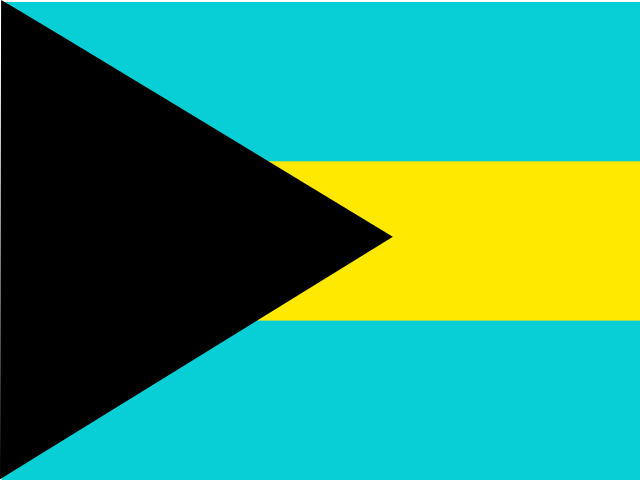

Bahamas
Passport Size Photos and Visa Size Photos of Bahamas
Passport Photo of Bahamas
Having your photos made for your passport, visa, drivers license or employee company pass, you can walk-in without an appointment at the 174 Pinner Road, Harrow. Your photos will be ready while you wait. To avoid wait time, prior appointment would be appreciated.
Bahamas Passport Photo & Visa Photo Requirements
If you are applying for a Bahamian passport or a visa to travel to The Bahamas, your photograph must meet the applicable official requirements. This guide explains the Bahamas passport photo size, Bahamas visa photo requirements, background, facial expression, glasses, photo quality and other important photograph requirements.
Bahamas Photo Requirements at a Glance
Bahamas Passport Photo
Photo Size: 2 × 2 inches
Photo Size in Millimetres: Approximately 51 × 51 mm
Orientation: Square
Photo Type: Colour
Background: Plain, light-coloured background
Pose: Full-face, looking directly at the camera
Expression: Neutral facial expression
Bahamas Visa Photo
Photo Requirement: Follow the photograph specifications provided for the relevant Bahamas visa application.
Photo Type: Recent colour photograph where required
Background: Plain, light-coloured background
Pose: Front-facing
Expression: Neutral facial expression
Important: The Bahamas passport photograph specification should not automatically be treated as the requirement for every Bahamas visa application. Always check the instructions for your particular visa or immigration application before submitting a photograph.
Bahamas Passport Photo Requirements
Applicants for a Bahamian passport must submit photographs that meet the requirements specified by the relevant Bahamian passport authority. The standard passport photograph format is 2 × 2 inches.
Bahamas Passport Photo Size
The standard Bahamas passport photo size is 2 × 2 inches.
- Width: 2 inches
- Height: 2 inches
- Width in millimetres: Approximately 51 mm
- Height in millimetres: Approximately 51 mm
- Orientation: Square
- Approximate size at 300 DPI: 600 × 600 pixels
Bahamas Passport Photo Background
Use a plain, light-coloured background for a Bahamas passport photograph.
- Use a plain background.
- Avoid patterns.
- Avoid objects behind the applicant.
- Do not include another person in the photograph.
- Avoid strong shadows.
- Ensure the face contrasts clearly with the background.
Bahamas Passport Photo Colour
The passport photograph should be a good-quality colour photograph.
The photograph should show natural-looking skin tones and should not contain unusual colour effects or filters.
Bahamas Passport Photo Pose
The applicant should face the camera directly with the full face clearly visible.
- Look directly at the camera.
- Keep the head straight.
- Do not turn the head sideways.
- Do not tilt the head.
- Keep the face centred.
- Make sure the facial features are clearly visible.
Bahamas Passport Photo Facial Expression
Maintain a neutral facial expression.
Avoid exaggerated expressions and keep the mouth naturally closed unless the applicant's age or circumstances require otherwise.
Bahamas Passport Photo Eyes
The eyes should be clearly visible and the applicant should look directly towards the camera.
Hair should not cover the eyes or obscure important facial features.
Glasses in a Bahamas Passport Photo
If glasses are worn, they should not obscure the eyes or important facial features.
- Avoid reflections on the lenses.
- The eyes must remain clearly visible.
- Frames should not cover the eyes.
- Dark or heavily tinted lenses should be avoided.
Removing glasses, when possible, can help prevent reflections and avoid problems with facial recognition.
Bahamas Passport Photo Head Coverings
Head coverings may be permitted where they are worn for religious or other recognised reasons, provided that the applicant's face remains clearly visible.
The covering should not obscure the eyes, cheeks, chin or other identifying facial features.
Bahamas Passport Photo Lighting
Use even lighting across the face and background.
- Avoid shadows across the face.
- Avoid strong shadows behind the head.
- Avoid excessive brightness.
- Avoid underexposure.
- Avoid reflections on glasses.
- Ensure the face is clearly visible.
Bahamas Passport Photo Quality
The photograph should be sharp, clear and of good quality. Avoid blurry, pixelated, damaged or poorly exposed photographs.
The photograph should accurately represent the applicant's current appearance.
Bahamas Passport Photo Retouching
Avoid excessive digital editing or retouching that changes the applicant's natural appearance.
Do not use beauty filters, face-smoothing effects or other digital alterations that could affect facial identification.
Bahamas Visa Photo Requirements
Bahamas visa requirements can depend on the type of visa or immigration application being submitted. Applicants should follow the photograph instructions provided with their particular application.
Bahamas Visa Photo Size
There is not one universal photograph size that should be applied to every Bahamas visa or immigration application without checking the relevant application instructions.
If the application specifically requests a passport-style photograph, follow the exact dimensions and photograph specifications stated by the Bahamian authority or visa application portal.
Bahamas Visa Photo Background
When a photograph is required, use a plain, light-coloured background unless the specific application instructions state otherwise.
Bahamas Visa Photo Colour
Use a recent colour photograph when a colour photograph is specified by the visa application.
Bahamas Visa Photo Pose
The applicant should normally face the camera directly with the entire face clearly visible.
- Look directly at the camera.
- Keep the head straight.
- Keep the face centred.
- Keep the eyes visible.
- Avoid shadows across the face.
Bahamas Visa Photo Facial Expression
A neutral facial expression is recommended for visa photographs unless the specific application instructions provide different requirements.
Bahamas Visa Photo Glasses
If glasses are worn, make sure they do not obscure the eyes and that there are no distracting reflections on the lenses.
Bahamas Visa Photo Head Coverings
Religious head coverings may generally be used where permitted, provided the applicant's facial features remain clearly visible.
Bahamas Visa Photo Quality
The photograph should be recent, sharp, clear and evenly illuminated. Avoid photographs with shadows, glare, blur, excessive editing or poor colour reproduction.
Bahamas Passport Photo vs Visa Photo
The Bahamas passport photograph has a defined 2 × 2 inch format. Visa photograph requirements should be checked against the specific visa or immigration application because requirements may differ.
Photo Size
Bahamas Passport: 2 × 2 inches, approximately 51 × 51 mm
Bahamas Visa: Check the requirements of the specific visa application
Orientation
Bahamas Passport: Square
Bahamas Visa: Follow the specific application requirements
Background
Bahamas Passport: Plain, light-coloured background
Bahamas Visa: Plain, light-coloured background unless otherwise specified
Photo Type
Bahamas Passport: Colour
Bahamas Visa: Follow the specific application requirements
Pose
Bahamas Passport: Full-face, looking directly at the camera
Bahamas Visa: Front-facing unless otherwise specified
Common Bahamas Passport & Visa Photo Mistakes
Avoid these common mistakes when preparing a Bahamas passport or visa photograph:
- Using the wrong photograph dimensions
- Using a rectangular photograph when a 2 × 2 inch passport photograph is required
- Using a 35 × 45 mm photograph for a Bahamas passport without checking the official requirement
- Using a dark or patterned background
- Having objects or other people in the background
- Having shadows across the face
- Turning or tilting the head
- Looking away from the camera
- Using an exaggerated facial expression
- Allowing hair to cover the eyes
- Using glasses with strong reflections
- Using dark glasses that obscure the eyes
- Using a blurry or low-quality photograph
- Using excessive digital retouching
- Using beauty filters
- Using an outdated photograph
How to Take a Bahamas Passport or Visa Photo
- Use a plain, light-coloured background.
- Stand directly in front of the camera.
- Keep your head straight and centred.
- Look directly at the camera.
- Keep your eyes clearly visible.
- Maintain a neutral facial expression.
- Avoid shadows across your face.
- Use even lighting.
- Remove glasses if they cause reflections or obscure your eyes.
- Avoid hats and other items that obscure the face unless permitted.
- Do not use filters or excessive digital retouching.
- For a Bahamas passport, prepare the photograph at 2 × 2 inches.
- For a Bahamas visa, follow the exact photograph instructions associated with your visa application.
Bahamas Passport & Visa Photo FAQs
What size is a Bahamas passport photo?
The standard Bahamas passport photograph size is 2 × 2 inches, approximately 51 × 51 mm.
Is the Bahamas passport photo 2 × 2 inches?
Yes. The Bahamas passport photograph uses the 2 × 2 inch square format.
What is the Bahamas passport photo size in millimetres?
A 2 × 2 inch photograph is approximately 51 × 51 mm.
What is the Bahamas passport photo size in pixels?
At 300 DPI, a 2 × 2 inch photograph is approximately 600 × 600 pixels.
What background is required for a Bahamas passport photo?
Use a plain, light-coloured background without patterns, objects or other people.
Can I smile in a Bahamas passport photo?
A neutral facial expression is recommended. Avoid exaggerated expressions and maintain a natural appearance.
Can I wear glasses in a Bahamas passport photo?
Glasses should not obscure the eyes or create reflections that interfere with the photograph. Removing glasses is recommended when possible.
Can I wear a head covering in a Bahamas passport photo?
Head coverings may be permitted for religious or other recognised reasons, provided that the applicant's face remains clearly visible.
Can I use a 35 × 45 mm photo for a Bahamas passport?
You should not assume that the European 35 × 45 mm format is acceptable for a Bahamas passport. The standard Bahamas passport format is 2 × 2 inches.
What size is a Bahamas visa photo?
The required photograph size can depend on the specific Bahamas visa or immigration application. Check the instructions provided for the particular application before preparing the photograph.
Can I use the same photo for a Bahamas passport and visa?
You should check the requirements for each application. A Bahamas passport uses the 2 × 2 inch format, while visa requirements may differ depending on the application.
Can I edit my Bahamas passport photo?
Avoid digital editing that changes your natural appearance. Filters, excessive skin smoothing and facial alterations should not be used.
Official Bahamas Passport & Visa Information
Passport and visa requirements can change. Always check the latest instructions from the Government of The Bahamas or the relevant Bahamian diplomatic mission before submitting your photograph.